Analytics for LS Central
Analytics for LS Central is a BI solution that gives access to data analysis power and multiple reporting options – with none of the complications attached to building your own data warehouse.
Analytics is built by LS Retail using Azure Data Factory, a star schema data warehouse and Power BI, which is Microsoft’s Business Intelligence service in the cloud. When you use Analytics, you get access to reporting optimized data sets, and to Microsoft Power BI reports for Sales, Inventory and more with their advanced calculations and relationships.
Analytics can be set up for LS Central on-premises and SaaS from version 19.0 to the current versions. If you have older versions of LS Central, you can consult our backwards compatibility page for more information about how to customize Analytics to work with older versions that are not supported in the standard.
For more information on the system architecture and onboarding process please check out our online-help.
To get started just contact LS Retail license department to get your Analytics license and get started. Once you have your license in place you can download Analytics free of charge, and use as is, or as a base for customized data warehouse and business intelligence environment for your customers.
For a more high-level description of the Analytics for LS Central product or to request a demo, please visit www.LSRetail.com.
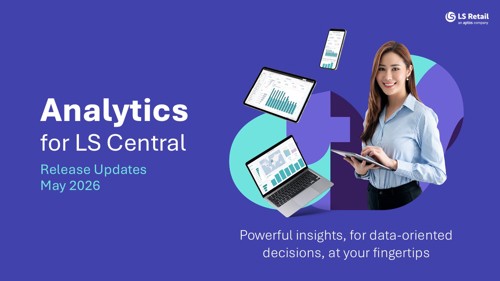
Below you will find links to short tutorial videos, each covering a specific feature of Analytics for LS Central. We plan to add to this playlist so, please make sure to visit this page regularly.
New: AI-powered Data Agents for Analytics for LS Central
We are making available a new set of AI-powered Fabric Data Agents built on top of the trusted semantic models used in the standard Power BI reports.
These data agents make it easier to explore and understand your data by allowing users to ask questions in plain language and receive clear, business-focused insights across areas such as Sales, Finance, Inventory, Supply Chain, Hospitality, Hotel, and Bookings.
The agents are designed to:
Make analytics more accessible for business users
Speed up insights without needing technical knowledge
Reuse the same validated data models already delivered with Analytics for LS Central
Provide a flexible foundation that can also be extended beyond out-of-the-box usage. These agents can be explored and leveraged technically in advanced scenarios, such as integrating them into Copilot Studio experiences, extending them within Azure AI Foundry, or interacting with them programmatically through APIs. This opens opportunities to embed them into broader solutions, orchestrate them as part of a master agent, or combine multiple specialized agents into coordinated workflows where they act as sub-agents contributing to more complex decision-making and automation scenarios.
Below you can download a package folder for automatically generating these agents.
 Analytics for LS Central - Data Agents.zip